
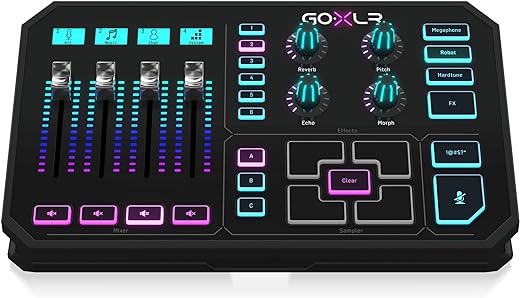
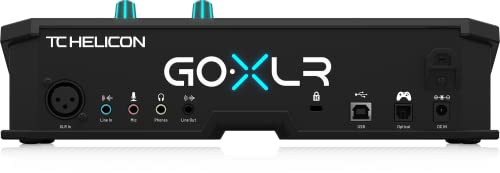
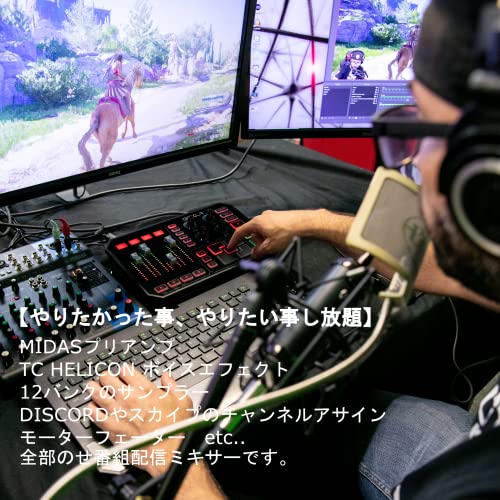
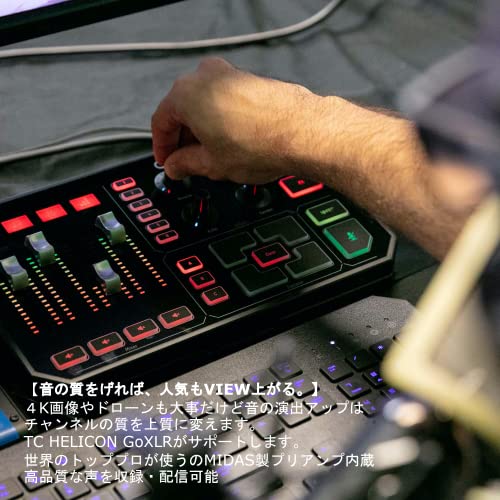

My read on the TC-Helicon GoXLR is simple: this is not trying to be a general-purpose little mixer for every computer and every setup. It is a Windows-centered desktop control surface for people who need fast, separate handling of multiple audio sources. If your current setup falls apart because chat, game audio, music, mic signal, and system sound all fight for the same control path, the GOXLR is the kind of box I’d start looking at.
The GOXLR makes the most sense on a Windows 10 desk
The key point here is operating-system support. The GOXLR supports Windows 10, with advanced routing available on the Spring 2018 Update or later. That is the spec that would matter most to me, because routing is the real reason to consider this product. I would not buy it just because it is a USB device; I would buy it because I wanted mixer-style control over separate computer audio sources.
Windows 7 and Windows 8 are listed too, but with routing features limited by the operating system. That makes me cautious about pairing it with an older PC. If I were building around the GOXLR, I’d want a current-enough Windows 10 machine so I could actually use the routing capability that defines the product.
The big limitation is platform support. There is no macOS support and no official Linux support. That is not a small footnote; it is a deal-breaker for some buyers. If you work on a Mac, run Linux, or switch between platforms, I’d skip this and look for an interface or mixer with support that matches your computer.
Its size and power needs point to a fixed setup
At 6.5 x 11 x 2.75 inches and 3.53 pounds, the GOXLR looks like a desk device, not something I’d plan around as a travel rig. It is compact enough for a creator station, but it still needs its own space beside the keyboard, mouse, mic arm, and whatever else is already crowding the desk.
Connection is via USB 2.0, and power comes from a 12-volt corded electric supply. The listed output wattage is 10 watts. My practical takeaway is that I’d budget for both a USB port and a power outlet, and I’d treat it as part of a permanent streaming or recording workstation rather than a grab-and-go interface.
Who I would and would not buy the GOXLR for
I’d consider the TC-Helicon GoXLR for a Windows 10 creator who wants hands-on control of multiple audio sources and values routing more than broad platform flexibility. It fits streamers, live-content creators, and podcast-style setups built around a single Windows PC.
- Best fit: Windows 10 desks where separate audio-source routing is the main goal.
- Skip it if: you use macOS, rely on Linux, run an older Windows system, or need a portable mixer.
Reviews
There are no reviews yet.