
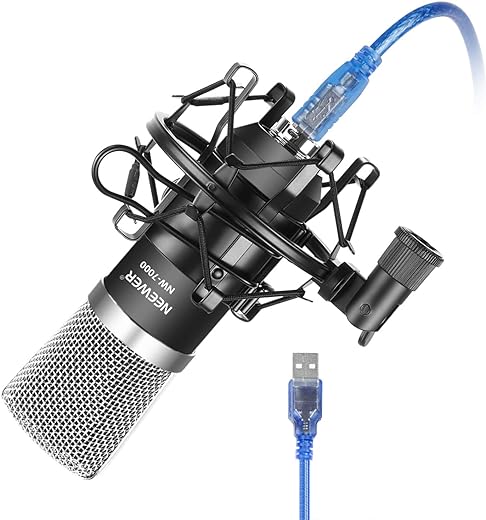
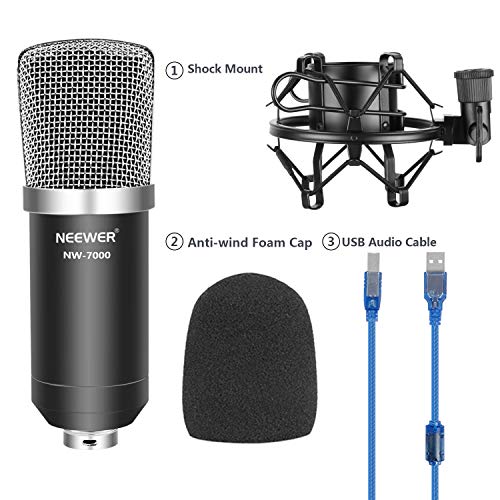
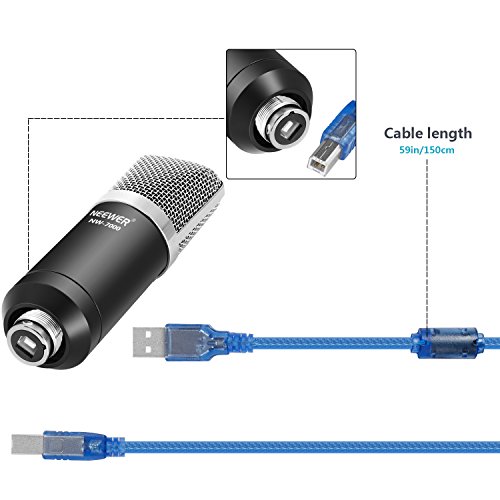
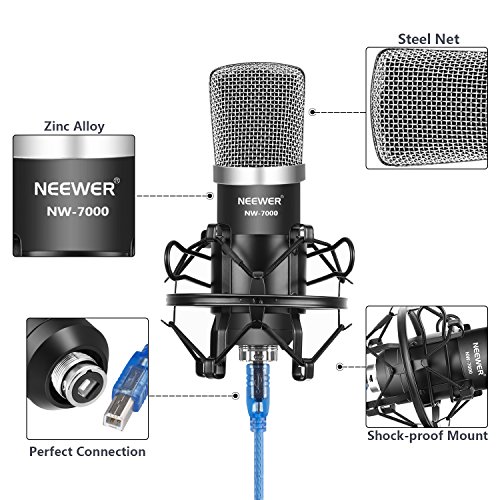

The Neewer NW-7000 USB reads to me as a simple, computer-first microphone: plug in by USB and record without building a separate audio chain. That is the main appeal here. I would look at it less as a studio-system component and more as a straightforward desktop mic for someone who wants fewer boxes, fewer cables, and less setup friction between the voice and the recording software.
Why I’d Consider the Neewer NW-7000 USB for Desk Recording
My read of the NW-7000 is that it fits voice-led computer work best. Podcasts, video calls, online lessons, streaming, voiceovers, and basic vocal recording are all sensible uses for a USB microphone like this. If I were advising a beginner, I would tell them to spend their effort on speaking position, distance from the mic, and reducing room noise rather than worrying about interfaces and extra routing.
The unidirectional polar pattern is a key part of that recommendation. A unidirectional mic is meant to focus on sound from one main direction, normally the front, while reducing sound from other angles. For one person sitting at a desk, that makes sense. I would still not treat it as magic room treatment, but I would rather have this kind of focused pickup than an all-around pattern for solo speech in a typical home workspace.
Where I’d Be Careful With This USB Format
The convenience of USB is also the limitation. I would not choose the NW-7000 if the plan is to grow into a more modular recording setup with separate preamps, mixers, XLR cabling, or several microphones at once. Its strength is simplicity, not expansion. If I were building a flexible studio rig, I would skip this and look at an XLR-based path instead.
I would also be careful about placement. With a unidirectional mic, speaking into the wrong side, sitting too far back, or recording in a lively room can still cause problems. The pattern can help reject some off-axis noise, but it does not remove keyboard sounds, room reflections, or poor mic technique by itself. Before ordering, I would check that the intended setup allows the mic to sit close enough and face the speaker properly.
Who I Think the Black 1.2-Pound NW-7000 Suits
At 1.2 pounds, the black NW-7000 sits in the easy desktop-mic category rather than the heavy broadcast centerpiece category. I would point it toward beginners, students, remote workers, streamers, and solo creators who want a direct USB connection and a focused pickup pattern without adding an audio interface.
- I’d consider it for: single-person speech recording at a computer.
- I’d consider it for: users who value USB simplicity over upgrade flexibility.
- I’d skip it for: multi-mic work, XLR studio rigs, or anyone planning a more expandable recording setup.
Reviews
There are no reviews yet.