
As an Amazon Associate we earn from qualifying purchases. This post contains affiliate links.
For PS4, the deciding factor is how the mic connects and how little fuss it takes to get clean voice into party chat. The console handles USB microphones and headsets well, but it does not pass audio over a standard USB audio interface the way a PC does — so the simplest path is a plug-and-play USB mic the PS4 recognizes as an audio device, or a mic you route through the controller’s 3.5mm jack. After that it comes down to whether you want a desktop mic in front of you or something clipped near your mouth, and how much desk noise you need to reject.
If you want the cleanest standalone desk mic with easy monitoring, get the Razer Seiren X; for the best value plug-and-play pick, the KLIM Voice V2 or FIFINE K668; and if you mostly need clear party-chat voice without a big footprint, a compact clip or small-capsule option like the CMTECK CM-G17006P makes more sense.
Quick comparison
| Microphone | Type | Connection | Best for |
|---|---|---|---|
| KLIM Voice V2 | Dynamic desktop mic | USB / 3.5mm | Budget streaming and voice chat with less background noise |
| Razer Seiren X | Condenser desktop mic | USB | Streamers wanting a clean supercardioid desk mic with monitoring |
| CMTECK CM-G17006P | Compact condenser | USB | Simple plug-and-play party chat and everyday voice |
| FIFINE K668 | Cardioid condenser | USB | Best-value all-rounder for gaming and streaming |
| Turtle Beach Stream Mic | Console-focused USB mic | USB | Console gamers who want a mic tuned for streaming to Twitch/PS |
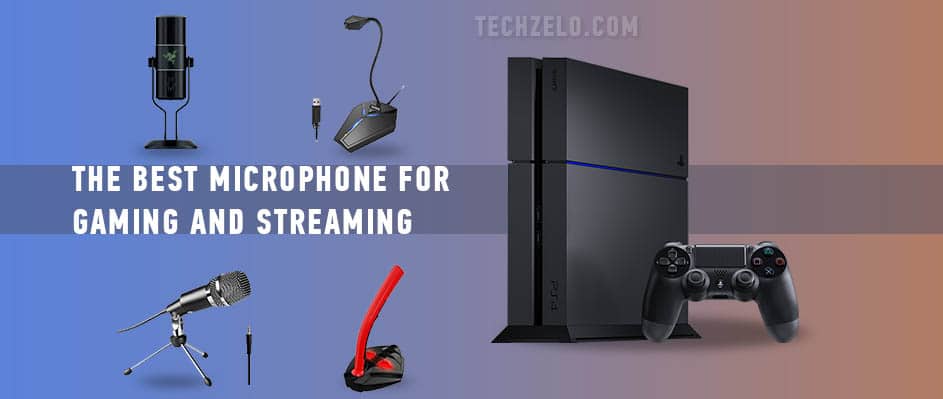
Choosing the microphone PS4 gamer has to be very careful. Usually, gaming headsets are for such customers. Some people prefer to use separate devices instead of using gaming headsets because they almost always contain some flaws. It’s hard to find the device that combines ideal headphones and microphone. Some consumers look for universal devices. They want to get the mic compatible with different systems if they play Microsoft Xbox, PlayStation, and PC. The choice is more challenging with extensive list of requirements. We have selected the best equipment for those who look for PS4 microphones.
KLIM Voice Gaming USB Desk Microphone

A desktop microphone with excellent filter removes all noise and concentrates on the sound of the speaker. The mic doesn’t require installation. It’s USB microphone that works immediately after plugging in. You can use it with any operating system as it’s compatible with almost any. It’s solid plastic, reinforced with metal. A good build of the device contributes to its durability and length of service. The stand of the microphone makes the gear stable. It was nice, bold contemporary design with LED illumination. Thanks to its neck’s flexibility, it comfortably positions itself on the table. It features a mute button.
This is an ideal variant when you need a gaming mic. The headset can be very uncomfortable and tiring to wear. Generally, using KLIM with PS4 doesn’t usually require any adjustment, but if necessary, adjusting it is easy.
Pros:
- It’s solid;
- The sound is great;
- It is inexpensive;
- It’s compatible with
Cons:
- Some customers faced problems with incorrect work of the device.
Razer Seiren X
Clarity of voice is one of the benefits provided by this device as it has cardioid pattern that picks up voice at smaller angle, however, with higher result. The mic rejects all noise around the person making only the speaker’s voice clear. The device features an anti-vibration effect thanks to the embedded shock mount. Compactness and nice design make the item alluring. Use it for streaming or communication while playing PS. It can be very useful when you just start streaming. Some consumers assure that the mic provides the studio-quality without using the studio.
Pros:
- The metal is solid;
- Excellent price tag;
- It features convenient mute button;
- It functions much better than other condenser mics.
Cons:
- It’s not compatible with some devices.
CMTECK gaming microphone
This strange looking device is sold at affordable price, but what’s more, it delivers the sound quality that the inbuilt mic can’t provide. PlayStation gamers who are not ready to spend a lot of gaming gear will be happy with such an alternative. The design was developed with ergonomics in mind. It really doesn’t take much space on the desk. The gooseneck design makes the mic convenient to use. This USB microphone is known for its sensitivity as this is a condenser. It means that it picks up sounds easily (the device features omni pickup) but the soundcard with technology of noise elimination helps to enjoy clarity.
Pros:
- Affordability;
- Decent sound quality;
Cons:
- The design is cheap.
Fifine K668 PC Microphone
Gaming is not the only activity that can be improved with this mic. It also performs a good job when podcasting or streaming is needed. Thanks to smoothness of sound, the voice sounds better. It acquires some warmth. The microphone can be used with windows/mac.
The installation of drivers is not needed to start working. Those who want to hear the result can connect the headphones to it. There is a special jack. The mic comes with a metal stand that is detached. It makes the device portable.
Pros:
- Comes with USB cable;
- The build is excellent;
Cons:
- Lack of mute feature.
Turtle Beach
The mic with extraordinary design features a superb sound quality. If you plan to stream professionally, this is going to be a great choice. It functions as a professional device, picking up high definition sound. It’s possible to hear the result with headphones. One just need to plug them into it. There is a mute button that in fact works as a button that helps to choose the direction of pickup.
It’s also possible to download free software enabling the use of more options. Being compatible with different platforms, the mic is very versatile!
Pros:
- Versatility;
- Capability to customize voice;
- Fabulous voice sound.
Cons:
- The price is high;
- Picks up noise easily.
In conclusion
With right approach, you can decide upon the choice of the gaming microphone easily. There are a lot of high-quality mics compatible with PS4. Online reviews explain how they function and what flaws they probably have. You should only weigh all the advantages and their drawbacks to decide upon the item you really need. Find the one with a balance of good price and quality, with features that meet your demands perfectly.
Finding the perfect gaming microphone for your PS4 doesn’t have to be as hard as defeating the final boss. While each product has its quirks, they all offer a solid balance of quality and affordability. Whether you’re into streaming, podcasting, or simply chatting with friends while gaming, there’s a mic out there to suit your needs. From the sleek design of the Razer Seiren X to the affordability of the CMTECK gaming microphone, there’s something for everyone. Just remember to weigh the pros and cons, read reviews, and pick the one that fits your gaming style like a glove. Happy gaming and may your voice be crystal clear, even in the heat of battle!
FAQ
Do USB microphones work directly with a PS4? Most class-compliant USB microphones are recognized by the PS4 as an audio input, so you can plug in and select the mic under Sound Devices in settings. Unlike a PC, the PS4 won’t work with a full USB audio interface, so a simple standalone USB mic is the safest bet.
Can I use these mics for party chat as well as streaming? Yes. Once the PS4 sees the mic as an input device you can route chat audio to it, and the same mic feeds your stream or capture. Just remember the console only uses one input at a time, so pick the USB mic as your active device.
USB mic or a headset mic for PS4 — which is better? A standalone USB or desktop mic almost always sounds fuller and clearer than a built-in headset boom mic, which is why streamers prefer them. A headset is more convenient and keeps the mic close to your mouth, but for voice quality a dedicated mic wins.
Do I need a pop filter or arm with these? Not to get started, but a foam windscreen or pop filter helps tame plosives on condenser desktop mics like the Seiren X and FIFINE K668. If you record for long sessions, a small boom arm keeps the mic steady and off the desk to reduce vibration noise.
Will a condenser mic pick up too much background noise? Condenser mics are more sensitive, so they can catch fan or keyboard noise if your room is loud. Choosing a cardioid or supercardioid pattern, positioning the mic close, and lowering input gain keeps your voice clear while rejecting off-axis sound.
“Choose by connection and use: any of these plug into the PS4 over USB (or the controller jack) with minimal setup, so it’s really about footprint and how much noise rejection you need. For the cleanest desk-mic sound and easy monitoring go with the Razer Seiren X; for the best value all-rounder pick the FIFINE K668 or KLIM Voice V2; and if you just want fuss-free clear party chat, the compact CMTECK CM-G17006P does the job.”