
As an Amazon Associate we earn from qualifying purchases. This post contains affiliate links.
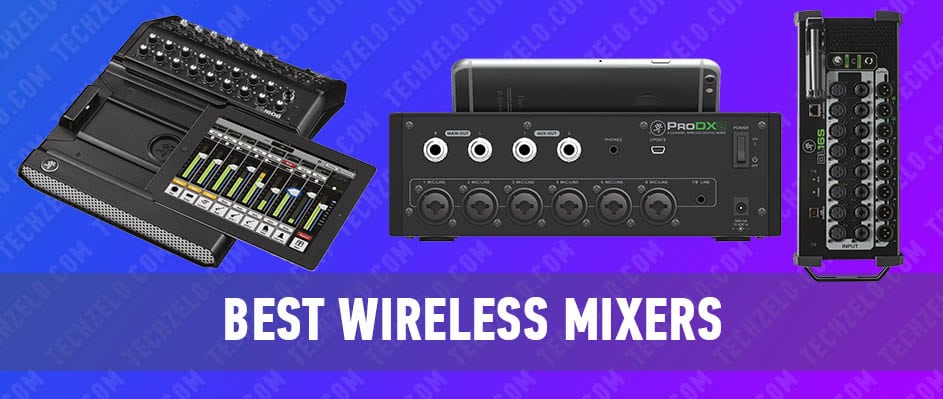
For a wireless mixer, the real decision isn’t the mixer itself — it’s how many inputs you need at once and whether you want a physical control surface or a tablet/phone running the whole show. Rack-style units (Ui, MR, XR, DL) live on stage and are mixed over Wi-Fi from an app, which is ideal for bands, houses of worship, and installs where the operator roams the room. Small tabletop units (ProDX4, Unity DR16) suit smaller setups and simpler control. Onboard recording matters too: if you want a multitrack of every show, look at the units built around it.
Quick steer: a two-piece band or podcast on a budget wants the Behringer XR12 or Mackie ProDX4; a full band or worship team wants the Soundcraft Ui12/Ui24R or Behringer XR18; and if multitrack recording is the point, the Zoom LiveTrak L-20R or a Mackie DL unit earns its keep. Always run your own Wi-Fi router rather than the venue’s — a dropped connection is the one failure that actually hurts on a wireless rig.
Quick comparison
| Mixer | Form factor | Best for | Control |
|---|---|---|---|
| Behringer XR12 | Rack digital | Budget small-band / podcast rigs | Tablet/phone app |
| Soundcraft Ui12 | Rack digital | Small bands & worship on a budget | Any web browser (no app lock-in) |
| Midas MR12 | Rack digital | Small setups wanting Midas preamps | Tablet/phone app |
| Peavey Unity DR16 | Tabletop/rack digital | Live bands needing more inputs | App plus onboard controls |
| Mackie ProDX4 | Compact tabletop | Duos, buskers, simple PA setups | Bluetooth app |
| Mackie DL1608 | iPad-dock digital | Bands wanting an iPad control surface | iPad (dock or wireless) |
| Zoom LiveTrak L-20R | Rack digital | Multitrack recording of live shows | Tablet app plus onboard controls |
| Mackie DL16S | Rack digital | Bands wanting a compact 16-in stage box | Tablet/phone app |
| Soundcraft Ui24R | Rack digital | Full bands / worship, recording built in | Any web browser + onboard USB recording |
| Behringer XR18 | Rack digital | Full bands needing 18 inputs on a budget | Tablet/phone app + USB multitrack |
Behringer XR12

This mixer is the top wireless one made by a German company. It comes with built-in Wi-Fi and can be used in three different ways. This means you can control it from a computer or phone/tablet using iOS or Android. It’s great for both studio work and live performances. It has 12 input channels and four programmable microphone preamps for really good sound. One cool thing about it is X AIR Gain Sharing. You can also record your mix from two channels onto a flash drive or hard drive using a USB connection.
Features: 12 channels, MIDAS microphone preamps, X AIR Gain Sharing technology, 100-band RTA for all input channels and EQ bus, 40-bit floating-point DSP processor, specialized X AIR (Apple devices and Android) and X AIR Edit (PC) software / Mac / Linux)
Pros: portability, switching capabilities, minimum preparation time for work in any conditions
Cons: occasionally unstable work on Android, the inconvenience of working on the small screen of a phone
Soundcraft ui12
Soundcraft Ui-12 has a cross-platform solution for all the commonly used mobile and computer platforms. It can handle up to ten devices at a time. This device has various sound modules. Remote microphone gain control and phantom power are presented here, along with a four-band parametric equalizer, hi-pass filter, compressor, de-SR.
This best wireless digital mixer has a 31-band graphic equalizer, noise gate and compressor on all outputs and much more. Integrated network interfaces help users to work via Wi-Fi and Ethernet, and the sturdy body will allow user to transport the device to concerts without fear of damage.
Features: 8 in channels 4 of which are on TRS Jack connectors and 4 on XLR, a master section with output and headphone level controls, 2 1/4 ” TRS Jack outputs for connecting headphones and 4 master outputs (2 on 1/4 ” TRS Jack and 2 on XLR connectors), built-in USB-media player, 2xUSB inputs for import/export of files
Pros: simple and convenient control from a tablet, PC or phone, supports all popular platforms, reliable design, the opportunity to work with 10 devices
Cons: rare communication loss and delays when using mobile phones and tablets
Midas MR12
Midas MR12 is a wireless digital mixer for concerts and studios. The device has 12 analog inputs, including 4 combined ones with Midas Pro microphone preamps and two instrument inputs. Here are four effects engines that provide good sound processing capabilities, and a Wi-Fi router with three modes of operation. The router provides the ability to remotely (wired or wireless) control the mixer through a computer / laptop or mobile device. Specialized free software is provided for all the popular mobile and computer platforms. Other user options of MR12 include the presence of MIDI input and output, as well as a universal integrated power supply, due to which the new product can operate in a wide range of mains voltages (100 – 240 V).
Features: Upgraded preamps with increased common-mode rejection, Cirrus Logic CS4398 output DA-converters, improved design of DA-converter output filters reduced conversion noise, maximum output level up to +21 dBu
Pros: high sound quality, portability, reasonable price
Cons: wireless connectivity issues in some cases
Peavey Unity DR16
Peavey Unity DR16 is a versatile rack-mount wireless mixer for any type of tasks. Silencer preamps provide superior audio quality, which draws attention from the first second. Equalizer Peavey Mid-Morph allows user to customize the mix for any environment. Also worth noting are the grouped mute channels and two assignable feedback amplifiers. Four effects processors and complicated reverberation algorithms allows user to unify the sounding to the full. The mixed network config provides up to ten Ethernet connections and 4 Wi-Fi connections at the moment.
Features: 16 inputs with 8 Silencer preamps, Mid-Morph equalizer for adjusting the sound on each channel in any conditions, 4 effects processors and compicated reverbation algorithms, Ethernet and Wi-Fi connection, Parametric equalizer, 31-band graphic equalizer
Pros: versatility, rack-mountability, reliability
Cons: some software errors
Mackie ProDX4 Cell Phone Controlled Mixer
This wireless mixer works really well when you connect it wirelessly to your phone or tablet. It’s easy to use because the display is very clear. It’s also small compared to other mixers, which makes it stand out. It has lots of settings and it’s good for people performing alone, in small groups, or in big concert halls.
Features: 4 channels, built-in Bluetooth module for remote control, 2 combined balanced XLR + TRS inputs with Wide-Z microphone preamps for connecting microphones, guitars, and keyboards
Pros: exclusive design, small dimensions, high sound quality
Cons: no pre-gain adjustment
Mackie DL1608 Mixer
MACKIE DL1608 Digital Mixer has outstanding audio quality. Here is a control system via the iPad, which breaks all established standards and stereotypes. The sound master can work with the mixer in any conditions with the chance to control the mix in the channels and all the proposed plug-ins and effects, of which there are a lot. That is, the user can control channel presets and check the sound directly from iPad. Available to connect up to ten external devices. The Master Fader application features DAW (Sound Recording Program), even during live mixing. Grow and Glow function is not confused in the mix; it is a kind of guide to work. MACKIE DL1608 wireless mixing tool is a new benchmark and perfect example of the great design of mixing consoles. It has a small case with a visually aesthetic and practical mount for an external device.
Features: 16 Onyx microphone preamps, High-end Cirrus Logic converters, Large selection of powerful touch-sensitive plugins, 31-band graphic equalizer and compressor/limiter outs
Pros: very low noise, compact and practical design, high functionality
Cons: relatively low-quality DSP
Zoom LiveTrak L-20R Digital Mixer
This model is a digital, rack-mounted mixing console for efficient concert performance. It contains a complete set of tools to perform almost any task of a live performance.
This wireless console has 16 microphones/ line-in mono inputs and two stereo inputs, which is enough for scenes of any scale. Two EFX buses are also available, and each channel has its own three-band equalizer, panorama control and compressor.
The user can record two dozens channels, plus a stereo mix to SDcard, with the possibility of further exporting the mix to a DAW program for revision. Six monitoring outs let everyone create their own custom sound.
Special attention deserves a dedicated out for quickly switching between mixes during the work. The Scene Recall function allows everyone to call up to 9 different scenes with sets of settings, which include monitor mixes, equalizer settings, effects, etc.
Features: 20 input channels with XLR or 1/4 “connectors, simultaneous recording of 22 and playback of 20 tracks
Pros: wide range of possibilities in live performance, portability, high sound quality
Cons: inconvenient channel EQ section
Mackie DL16S
Mackie DL16S expands the range of digital mixers Mackie DL and are the next generation devices with modern filling and new features. Attention deserves mostly practical compact case, allowing the user to conveniently transport the mixer. Wi-Fi is also provided here; with which everyone can connect to the mixer in several ways. Mixer control is implemented as in previous models through the application Master Fader, which allows person to connect up to twenty devices at the same time. DL16S has 16 inputs and 8 outputs; it provides headphone output with a hardware volume control. Half of the connectors are XLR and the other is XLR / TRS. For simplicity of connection and switching, all connectors are located on the front of the mixer. There are also power and wireless indicators and a network module.
Features: 16 ins with a four-band parametric equalizer, gate, compression and RTA / spectrogram, USB-connected audio interface for Mac and PC, Support for up to twenty connected devices,
Pros: convenient design and interface, a large number of functions
Cons: microphone channels may periodically disappear during continuous operation
Soundcraft UI24R
The main function of this wireless digital mixer is Connected to PA technology. All devices with this technology, Soundcraft mixers, JBL speakers, AKG microphones, dbx diboxes, are connected to a single network and controlled remotely from the screen of any mobile device. The device itself detects devices on the network. Any musician can conveniently adjust the sound at a concert and save these settings for quick calling. The device has a striking appearance and effectively ordered inputs and outputs (in comparison with previous models of this series). A total of 24 ins are available.
The mixer has 10 inputs on combined XLR / TRS connectors, ten inputs with XLR connectors, a line input on RCA connectors and another digital input associated with playback from a USB drive. 2 inputs have a Hi-Z mode for connecting a guitar. The master output is implemented on the XLR and TRS connectors and has hardware volume controls. In addition, the mixer has two headphone outputs, also with a hardware controller. It is also worth noting the use of two WiFi antennas in the Ui24R mixer for more reliable signal reception.
Features: 22 analog inputs and two digital inputs, 20 Studer mic preamps, built-in 2-band Wi-Fi module, use of up to 10 control devices at the same time
Pros: high-quality signal processing, innovative control tools, high accuracy and a large selection of functions
Cons: inconvenient Ethernet configuration, software difficulties with Mac are possible
Behringer X Air XR18
This 18-channel digital mixer is the flagship of its category. The tool differs from other models in the series by improved switching capabilities and an integrated multi-channel USB-audio interface. The most interesting features of this solution are an integrated Wi-Fi router with 3 operating modes, which allows everyone to work with mixer functions from any device. The proprietary MIDAS preamplifiers used in the mixer are optimized in their properties for coordinated operation with an integrated DSP processor. It allows a person to save global and channel settings to the mixer memory and easily load any of the presets on demand. This feature provides unmatched flexibility. In addition to saving global settings and individual settings for each channel, the mixer provides the ability to save personal modes for processing tools such as compressor, equalizer, reverb, delay, etc.
Features: 18 input channels, 6 assignable output buses, 16 MIDAS microphone preamps, 18 x 18 channels in USB 2.0 stream, 4 stereo FX channels with effects, built-in three-mode Wi-Fi router for mixer control
Pros: high sound quality, many inputs, ease of setup, convenient equalizer
Cons: Wi-Fi delays are possible
FAQ
Do I need my own Wi-Fi router for a wireless mixer? In practice, yes. Most of these mixers have built-in Wi-Fi, but a dedicated external router gives you a stronger, more stable connection and lets you keep control while moving around the room. Never rely on a venue’s public Wi-Fi for live mixing.
Can I still use these mixers if my tablet dies mid-show? The mixer keeps passing audio at its last settings even if the controlling device disconnects, so the show won’t go silent. You just lose the ability to make changes until you reconnect, which is why many operators keep a backup phone or tablet on hand.
Which of these record a multitrack of the performance? The Soundcraft Ui24R, Behringer XR18, and Zoom LiveTrak L-20R are built with multitrack recording in mind, whether to onboard storage or a connected computer. If capturing every input for a later mix is a priority, start with those rather than the smaller units.
App-controlled or a physical control surface — which should I choose? App-only rack mixers (Ui, XR, MR, DL16S) are lighter, cheaper, and let the operator mix from anywhere in the room. A physical or iPad-dock surface like the DL1608 suits people who prefer real faders and a fixed mixing position. It comes down to workflow, not sound quality.
Is a browser-controlled mixer better than one that needs an app? The Soundcraft Ui series works from any device’s web browser, so you’re not tied to a specific app or operating system — handy if your team uses a mix of phones, tablets, and laptops. App-based units can feel more polished but lock you to iOS/Android. Neither approach is inherently better for the audio itself.
Conclusion
“Choose by input count and control style first, then by whether you need onboard recording. For tight budgets and small rigs, the Behringer XR12 and Mackie ProDX4 punch above their size; for a full band or worship team the Soundcraft Ui24R and Behringer XR18 give you the channels plus multitrack recording; and if live capture is the whole point, the Zoom LiveTrak L-20R is the specialist pick. Whatever you land on, bring your own router.”
In the realm of sound control, these wireless mixers offer a symphony of features. Despite minor quirks, their versatility and quality make them indispensable for any sound engineer or musician. With a plethora of options, it’s a harmonious choice no matter which you pick.